
Requesting an Ad Format
Use thead_formats field in your bid request to specify which formats your integration can render. The server picks the best match and the response includes an ad_format field confirming what was returned.
When ad_formats is omitted, it defaults to ["sponsored_message"] for contextual requests and ["sponsored_prompt"] for opener requests.
Available Formats
| Format | ad_formats value | Status |
|---|---|---|
| Sponsored Message | sponsored_message | Live |
| Sponsored Prompt | sponsored_prompt | Live |
| Carousel | carousel | Coming soon |
| Sponsored Poll | sponsored_poll | Coming soon |
ad_format field in the response to determine which format was returned and render accordingly.
Sponsored Message
A native ad card displayed inline in the conversation. Includes a headline, description, optional image, and a call-to-action.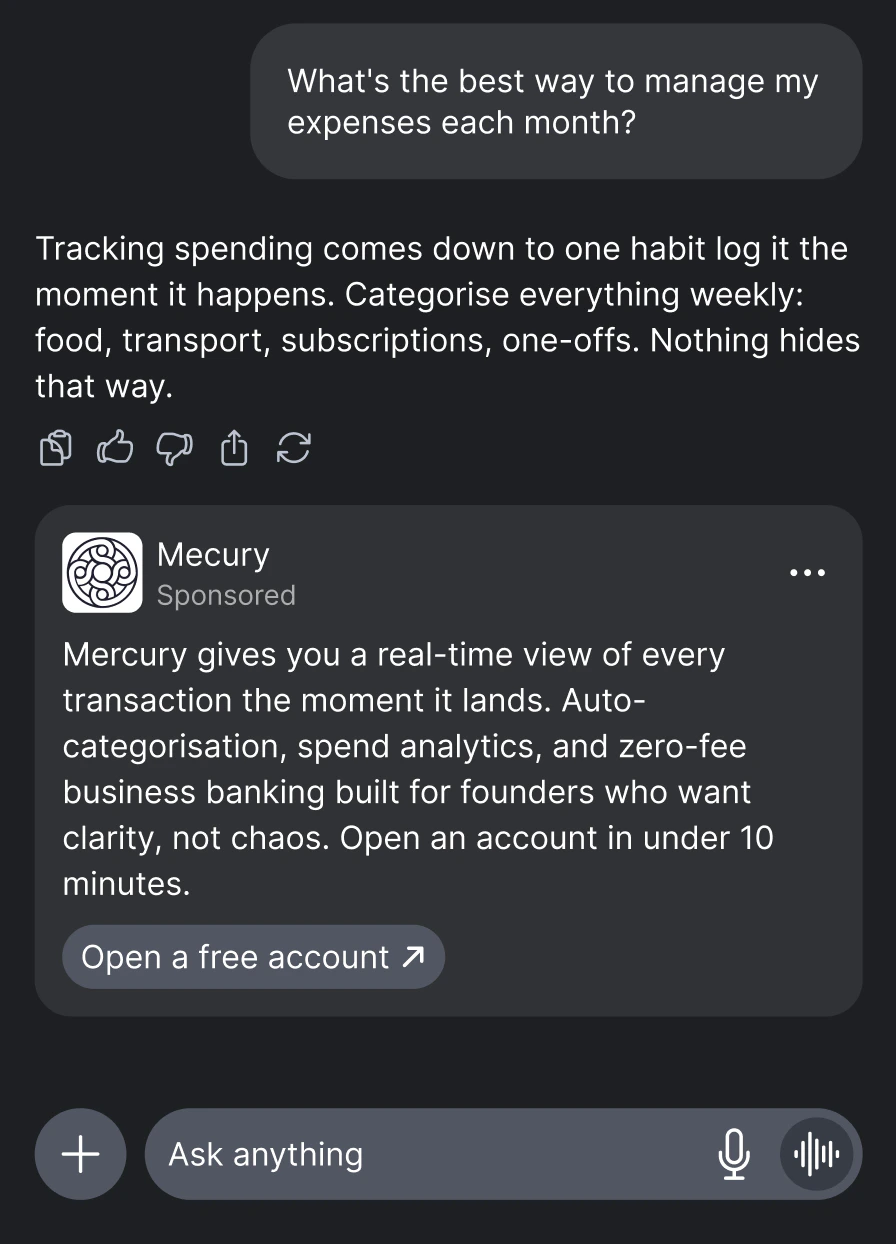
ad_format, advertiser, domain, headline, description, cta_text, url, image_url
| Field | Description |
|---|---|
ad_format | Always "sponsored_message" for this format. |
price | Clearing price (CPM) in dollars — what the publisher earns. |
advertiser | Brand name of the advertiser (e.g. "Nike"). In rare cases this may return a domain (e.g. "nike.com") as a fallback when the brand name is not available. Your UI should handle both gracefully. |
domain | Advertiser website domain (e.g. "nike.com"). |
headline | Ad headline. Respects config.max_headline_chars when set. |
description | Ad body text. May be null. |
cta_text | Call-to-action text. May be absent — default to “Learn More” in your UI. |
url | Click tracking URL. Always use this for clicks — it tracks the click and redirects to the landing page. |
image_url | Ad image URL. Only present when config.image_enabled is true (default) and a product image is available. Render without an image if absent. |
dsp | Winning DSP identifier. |
bidId | Bid identifier for tracking and debugging. |
Sponsored Prompt
A set of sponsored follow-up questions displayed as clickable prompts before or during a conversation.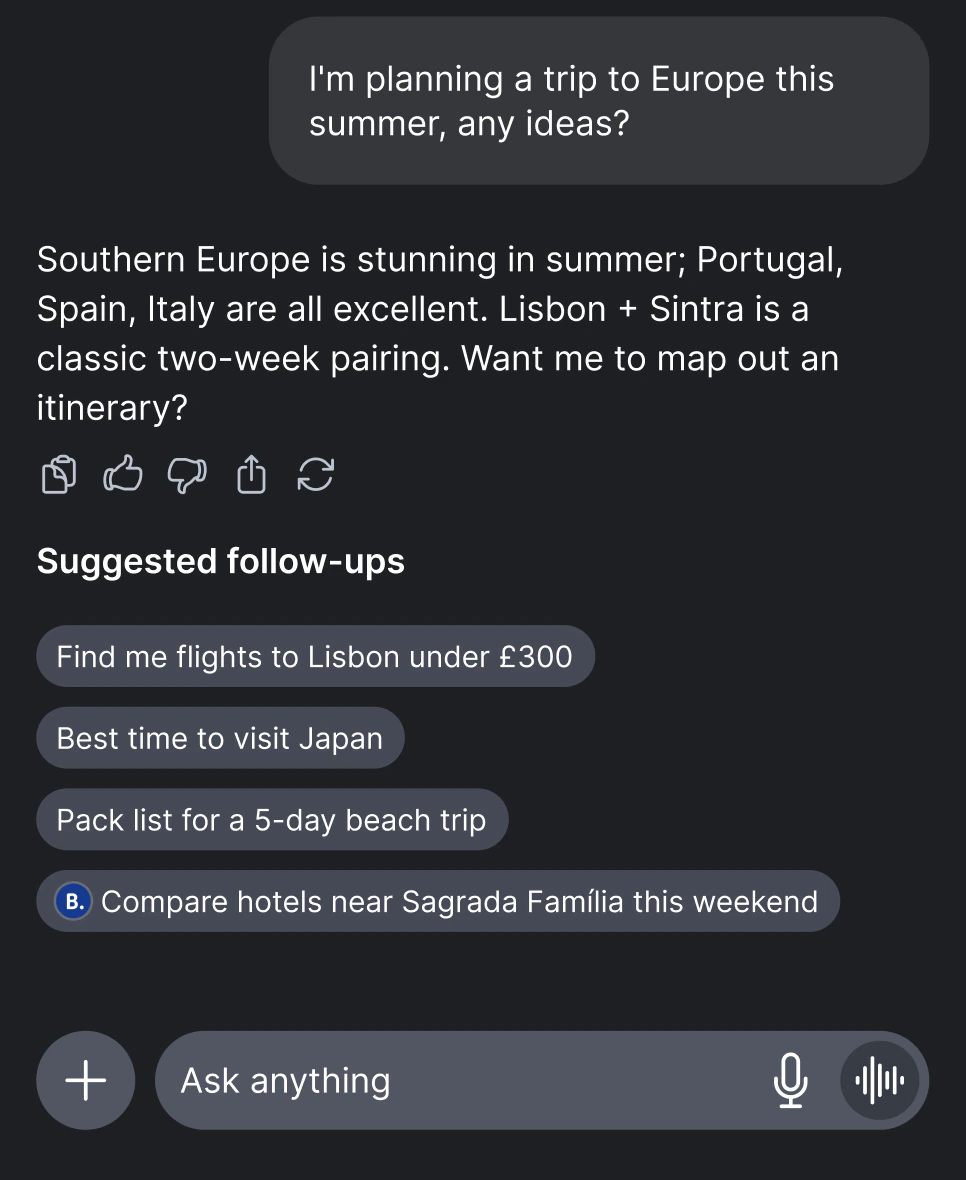
ad_format, advertiser, sponsored_prompt, url, logo_url
The response returns an array of bids, each containing a sponsored prompt:
Carousel
Coming soon — contact us at contact@thrad.ai for early access.
Sponsored Poll
Coming soon — contact us at contact@thrad.ai for early access.
Response Handling
No Bid Response
A
200 OK response with "bid": null is not an error. It means the auction ran successfully but no DSP submitted a winning bid. This is normal behavior and should be handled gracefully in your UI.Acceptable Ads Compliance: Your ad display should be compatible with the Acceptable Ads Standard. This ensures ads are non-intrusive, clearly labeled, and appropriately sized — helping maintain user trust and ad-blocker compatibility.