Documentation Index
Fetch the complete documentation index at: https://docs.thrads.ai/llms.txt
Use this file to discover all available pages before exploring further.
Requesting an Ad Format
Use thead_formats field in your bid request to specify which formats your integration can render. The server picks the best match and the response includes an ad_format field confirming what was returned.
When ad_formats is omitted, it defaults to ["sponsored_message"] for contextual requests and ["sponsored_prompt"] for opener requests.
Sponsored polls are contextual-only. Request them only with request_type: "contextual" and never on opener placements.
Available Formats
| Format | ad_formats value | Status |
|---|---|---|
| Sponsored Message | sponsored_message | Live |
| Sponsored Prompt | sponsored_prompt | Live |
| Carousel | carousel | Coming soon |
| Sponsored Poll | sponsored_poll | Live for contextual placements |
ad_format field in the response to determine which format was returned and render accordingly.
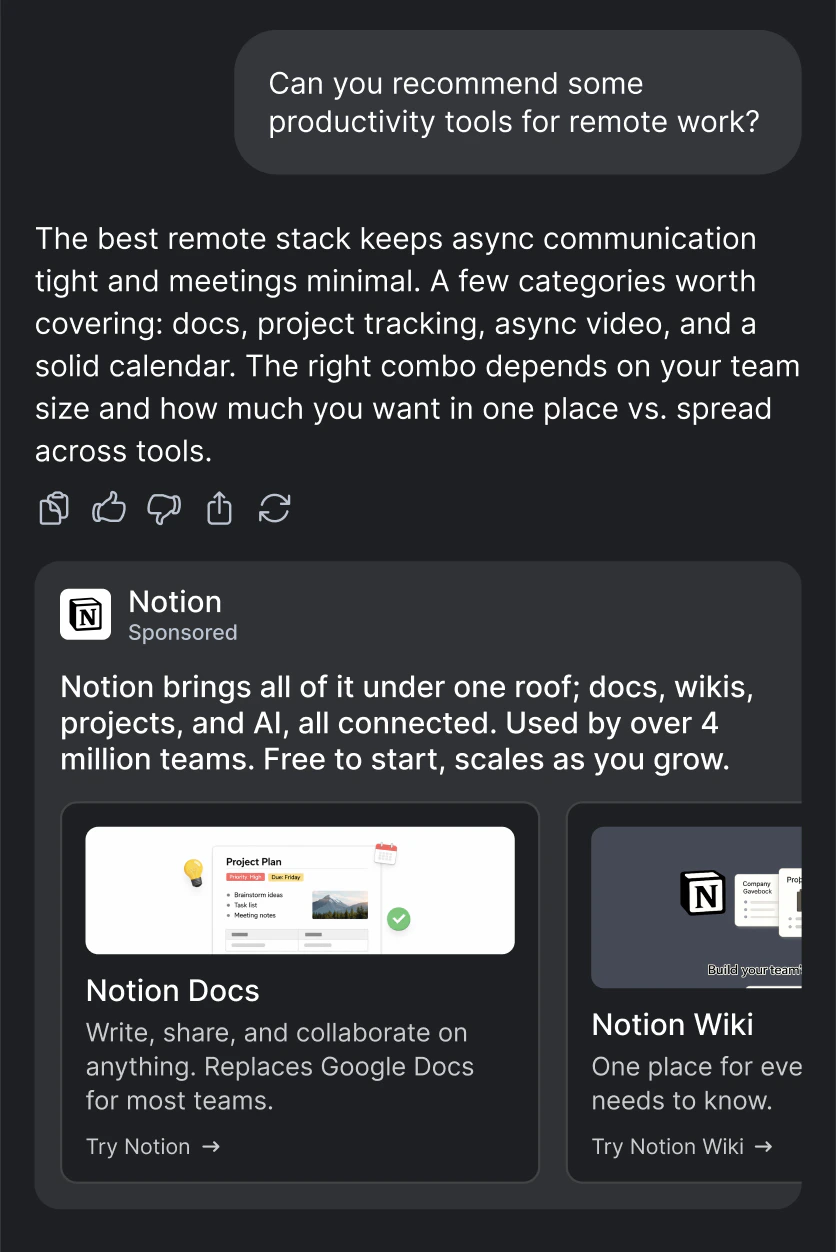
Sponsored Message
A native ad card displayed inline in the conversation. Includes a headline, description, brand visuals, and a call-to-action. The card has two render modes, declared by the server in theplacement field:
text— compact card with the advertiser logo only. The response includeslogo_url;image_urlis absent. Forced whenconfig.image_enabled=false, when no product photo is available, or when the DSP chooses text mode.image— full card with a hero product photo. The response includesimage_url;logo_urlmay also be present alongside.
placement is missing, treat it as "text".
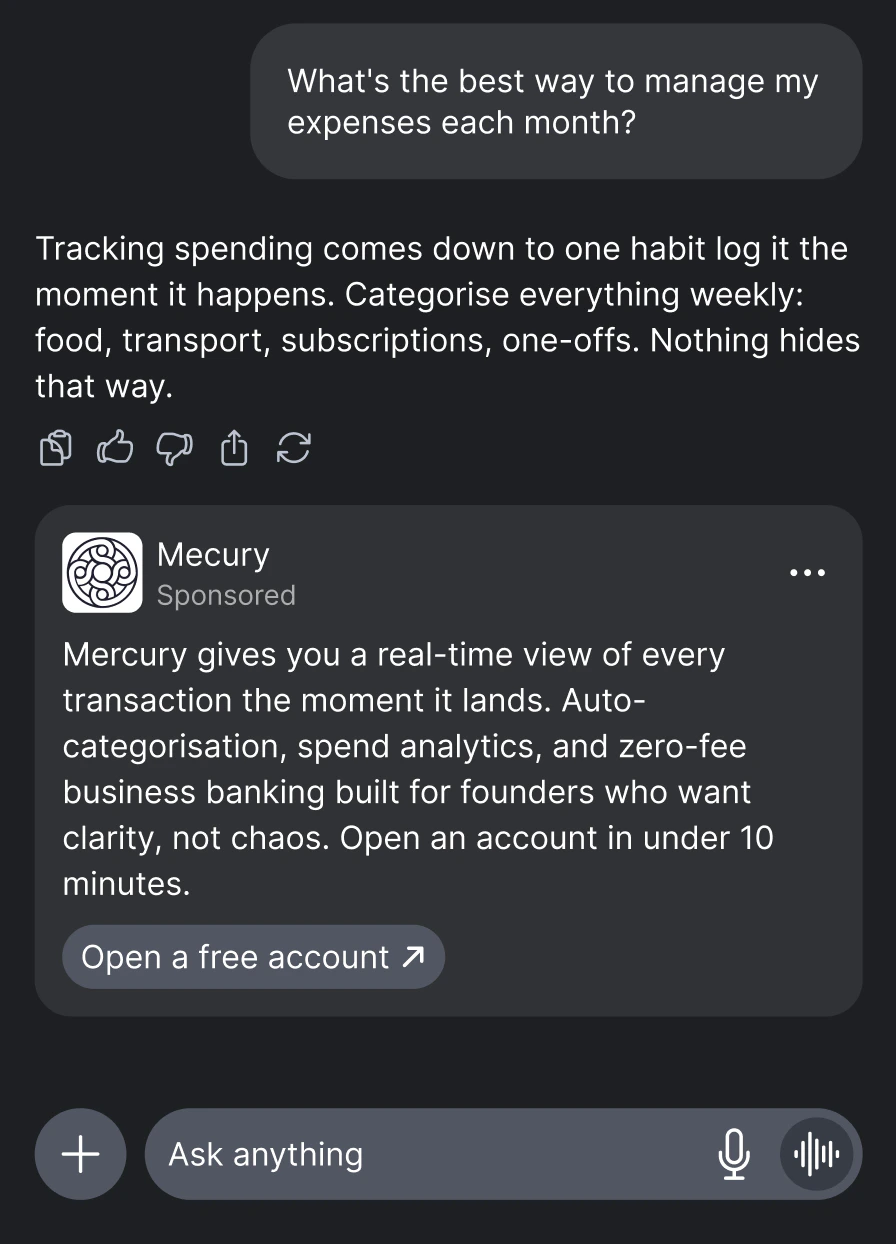
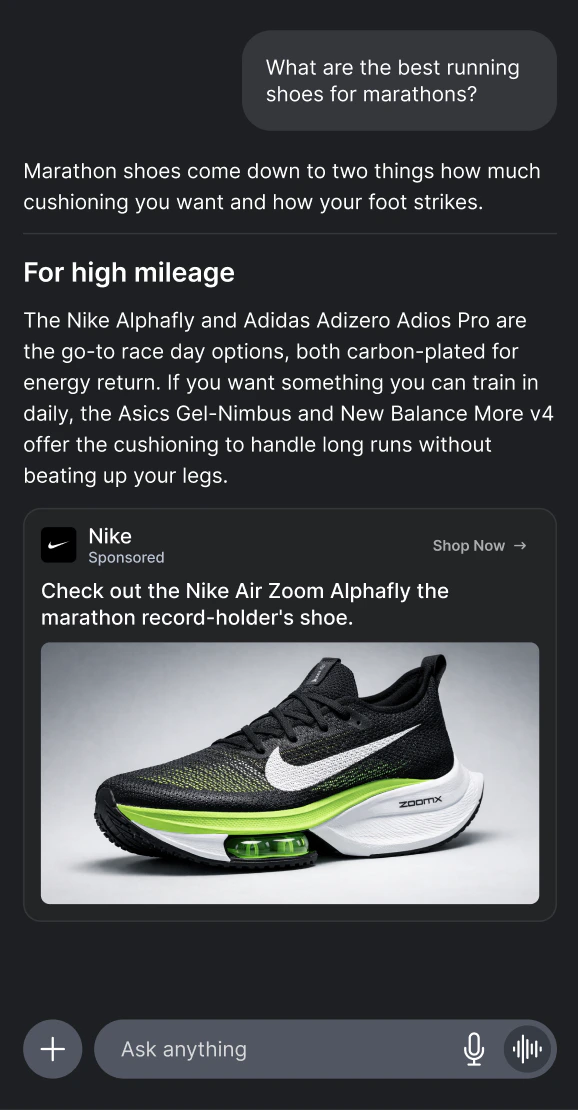
ad_format, advertiser, domain, headline, description, cta_text, url, placement, logo_url, image_url, view_url
| Field | Description |
|---|---|
ad_format | Always "sponsored_message" for this format. |
price | Clearing price (CPM) in dollars — what the publisher earns. |
advertiser | Brand name of the advertiser (e.g. "Nike"). In rare cases this may return a domain (e.g. "nike.com") as a fallback when the brand name is not available. Your UI should handle both gracefully. |
domain | Advertiser website domain (e.g. "nike.com"). |
headline | Ad headline. Respects config.max_headline_chars when set. |
description | Ad body text. May be null. |
cta_text | Call-to-action text. May be absent — default to “Learn More” in your UI. |
url | Click tracking URL. Always use this for clicks — it tracks the click and redirects to the landing page. |
placement | Render mode: "text" (logo only) or "image" (full product photo). When missing, treat as "text". |
logo_url | Advertiser brand/logo URL. Required when placement="text". May also be present alongside image_url when placement="image". |
image_url | Product/hero photo URL. Present when placement="image", absent when placement="text". Setting config.image_enabled=false forces text mode, so image_url will never be returned. |
view_url | Optional impression tracking pixel URL. Fire it when the ad becomes visible to the user (see Billing & Viewability). |
dsp | Winning DSP identifier. |
bidId | Bid identifier for tracking and debugging. |
Sponsored Prompt
A set of sponsored follow-up questions displayed as clickable prompts before or during a conversation.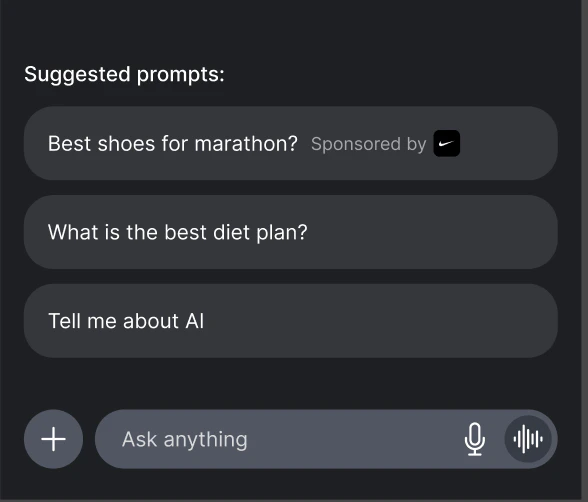
ad_format, advertiser, sponsored_prompt, url, logo_url
The response returns an array of bids, each containing a sponsored prompt:
Carousel
Coming soon — contact us at contact@thrad.ai for early access.
Sponsored Poll
An interactive poll sponsored by an advertiser. Sponsored polls are contextual-only and appear in the same mid-conversation inventory path as sponsored messages. They are not opener or pre-chat inventory.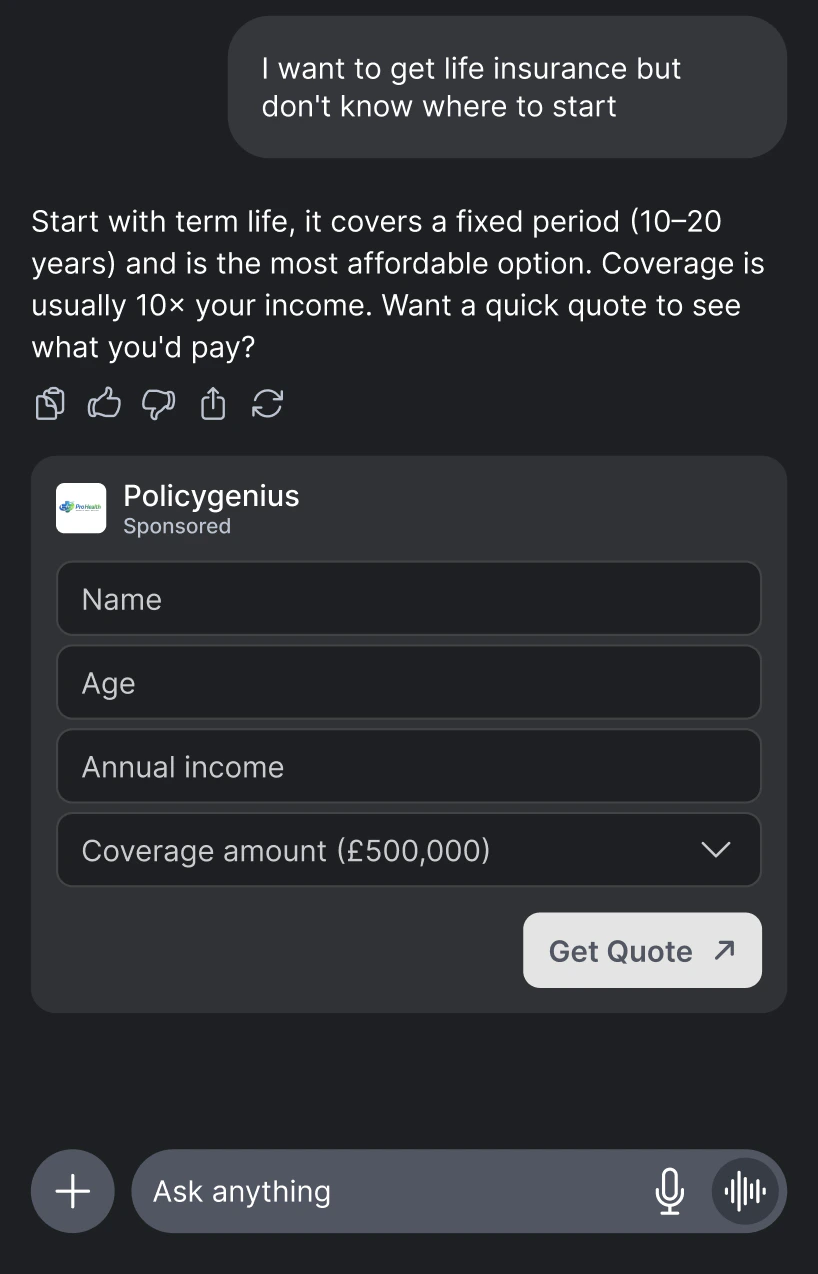
ad_formats on a contextual bid request:
Poll-only contextual request
Mixed contextual request
sponsored_message and sponsored_poll, Thrad first selects the winning campaign through the normal contextual auction. After a campaign wins, campaign delivery settings determine whether the returned creative is a message or poll.
Response fields: ad_format, price, sponsored_poll_id, advertiser, domain, logo_url, question, options, vote_url, results_url, cta_text, cta_url, results, dsp, bidId
| Field | Description |
|---|---|
ad_format | Always "sponsored_poll" for this format. |
sponsored_poll_id | Poll identifier. |
advertiser | Brand name of the advertiser. |
domain | Advertiser website domain. |
logo_url | Advertiser logo URL, derived from domain. May be null if no domain could be resolved. |
question | Poll question text. |
options | Answer options. Each option has id and text; submit the selected id when voting. |
vote_url | Signed vote URL. Option buttons submit to this URL; they do not use normal click tracking. |
results_url | Signed results URL. Fetch it to refresh aggregate results without recording a vote. |
cta_text | Post-vote advertiser CTA label (currently "Learn more"). Present only when the poll has a click-through. |
cta_url | Post-vote advertiser click-through URL — tracks the click and redirects to the advertiser. Present only when the poll has a click-through. The impression pixel is embedded here as a view_url query parameter (see note below). |
results | Aggregate results object with total_votes and per-option votes/percentage, embedded at bid time so you can render the result bar immediately. |
price | Clearing price (CPM) in dollars — what the publisher earns. |
dsp | Winning DSP identifier. |
bidId | Bid identifier for tracking and debugging. |
Sponsored polls do not return a standalone
view_url field. The impression
pixel is embedded inside cta_url as a view_url query parameter (alongside
thrad_view_url) — parse it out and fire it when the poll becomes visible. When
a poll has no click-through, cta_text/cta_url are omitted and view_url is
returned as a top-level field instead. See Billing & Viewability.Poll Rendering
Render poll options as buttons or equivalent controls. Do not wrap the whole poll card in an advertiser click link; option clicks must call the signedvote_url.
Response Handling
No Bid Response
A
200 OK response with "bid": null is not an error. It means the auction ran successfully but no DSP submitted a winning bid. This is normal behavior and should be handled gracefully in your UI.